

Using a Landline Phone in 2025

Smartphones have almost completely replaced the landline telephone for home and personal use. Some of us might forget all of the items smartphones have replaced over the years. For those who were born when smartphones were already commonplace, landlines are ancient history, like turntables and AM radio. They are artifacts seen in a history book, or in YouTube videos, rarely directly experienced.
Smartphones have replaced watches (for the most part), calculators, cameras, walkmans, portable gaming devices, organizers, the Rolodex, kitchen timers, and of course, landline phones.
Even in a corporate or business setting, where a landline telephone is still on many desks, Microsoft Teams, Slack, and many other messaging and video conference tools have mostly replaced the phone sitting on the desk.
Even when phone calls are needed, we most often use our cell phones and call colleagues’ cell phones. Or we use the messaging app the company prefers, on our smartphones, such as Teams.
This post is not indented to be a complete history of landline telephones, but more of a summary of my experiences as a kid in the late 70s into the 80s and the technology available at the time.
Before the Smartphone
Before the smartphone (or the cell phone), landline telephone service was all that was available. It used two thin copper wires for service, often referred to as “twisted pair” wiring.
This was quite a feat at the time – simple wiring providing everything needed to send and receive audio, power for the telephone itself, dialing capability (eventually), and the ring signal. This physical wiring was brought to every home and business (the subscribers for phone service) and switching offices would electrically connect the calls between handsets.
My experience with landline phones started in the late 1970s and early 1980s. Back in the early 1980s, rotary dial phones were still commonplace, and only the phone company provided telephone equipment. In fact, they did not sell the equipment, you rented it from them.
I remember when the phone company would charge an extra fee for touch tone dialing (via a slightly higher phone rental fee), which at the time was an upgrade over the rotary phone. Dialing was far quicker with touch tone dialing and you can even get phones which had memories for storing important or most used numbers.
Another advantage of the touch tone phones was the “redial” button, which was quite useful when the party you were dialing was busy.
Rotary Dialing
Landline telephones evolved over time, from party lines (shared between houses in a neighborhood), to dedicated subscriber lines. Early on, before automated switching, switchboard operators would need to connect calls, often times between several switching stations.
Eventually, automated switching was invented and became widely available. Several methods for automated switching were used over the decades. The first widely used and most common at the time was pulse dialing, accomplished using a rotary dial telephone.
Those who remember rotary dialing recall how slow it was to dial a number, and especially for numbers which had zeros and nines.
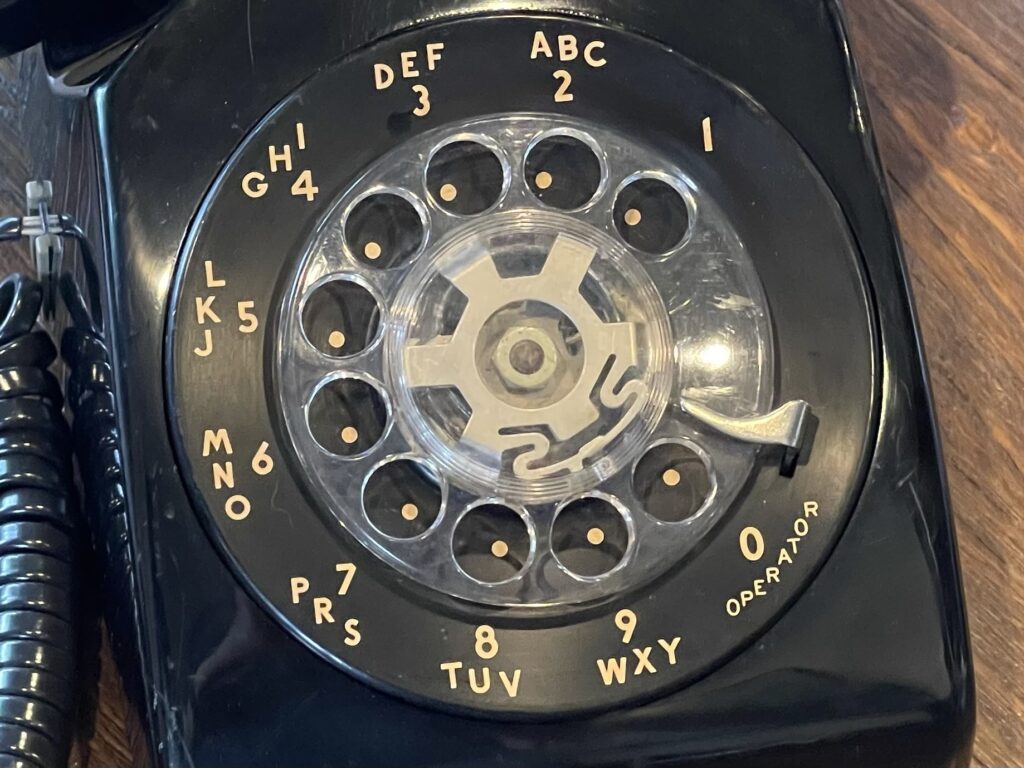
The rotary dial system eventually replaced the need for switchboard operators to place calls between subscribers. The dial method was “pulse” (as opposed to the later “touch tone”).
A rotary wheel would generate pulses as it spun around back to the starting point. The count of pulses received at the switching office would indicate each digit being dialed.
You can see on the rotary phone example above that the “1” position is closest to the finger stop (which generates one pulse), while the “0” is the farthest from the finger stop (which generates ten pulses).
The spacing between pulses is important in order for the switching office to detect pulses in series for the same digit being dialed versus the pauses in between digits. After a long enough pause, the switching office would assume the dialing is completed.
Incidentally, you could also pulse dial by pressing the switch hook manually, with the same spacing and dial without the rotary wheel.
Once touch tone dialing was released, many touch tone phones would have a tone/pulse switch for backward compatibility with pulse only service. Pressing the buttons would electronically generate the corresponding pulses, just as a rotary dial phone would have.
For pulse only service, the convenience of pressing buttons still had an advantage over rotary phones, as well as the redial button. The pulse option on these phones allowed for some benefits without having to purchase the upgraded touch tone service.
Touch Tone Dialing
Spinning around the wheel on the rotary phone to place a call was time consuming. Eventually touch tone dialing was introduced. This system would use tones that the switching offices would detect for each digit being dialed.
The specific tone format is known today as DTMF (dual tone multi frequency). Two frequencies within the audio bandwidth of landline voice would combine to generate the tone, and a different combination was used for each possible digit.
DTMF signaling became quite popular not only for telephone signaling, but also for control links over radio and all sorts of communication equipment.
Even today, many amateur radio transceivers for VHF and UHF include DTMF signaling capability. Many repeater links can be controlled via DTMF tones. Even autopatch (placing a landline call via amateur radio) was controlled via DTMF.
Touch tone quickly replaced rotary dialing, and was a premium service offering when it first rolled out. Eventually it became commonplace and was no longer sold as a premium or upgraded service.
Breakup of the Bell System
In the early 80s, the big phone company (Bell System) was busted up by deregulation and instantly telephones could be purchased at your local Radio Shack store, among other retailers.
Radio shack (and other retailers) sold various accessories such as longer handset cords, extension wires, jacks, outside extension ringers, answering machines, and many more useful landline related gadgets.
Back then there was a single phone (in most households), which was usually mounted to a wall, and usually in the kitchen. If the phone rang, you had to walk to the nearest phone (usually there was only one), and pick up the handset to answer the call.
Eventually homeowners were brave enough to install telephone extensions in their house, simply by running telephone line in parallel to the main service line. Then, you can have multiple telephones in various parts of the house, with no extra fees from the telephone company. The only expense was the phone itself, which became quite inexpensive.
Incidentally, the phrase “hang up” or “they hung up on me” comes from landline corded phones mounted to a wall. To disconnect the call, you would hang the handset up into the cradle or hook, which would have a switch that would then release the line so that the call would disconnect at the switching station.
With modern cell phones, the term is still used, but you are not likely hanging anything up on the cradle or hook to disconnect a call.
One more interesting habit would be to take the phone “off the hook”, which back then, was the easiest way to silence the phone from ringing. You would pick the handset up and put it on the desk, floor, or counter. After about a minute, a loud “off hook” sound would be sent by the switching station to alert you that the phone was off the hook. After a minute, the sound would stop.
Then, anyone trying to call you would hear a busy signal. When you wanted to receive calls again, you could put the phone back on the hook.
Eventually phones had a silence button or feature, like smartphones, but back then, taking the phone off the hook was the only option besides disconnecting the phone(s).
Cordless Phones
Eventually cordless phones hit the market, which freed us up from the cord between the handset and the phone mounted on the wall or desk. You no longer needed to install an extension in another room in the house if you had a cordless phone. You simply carried the handset with you, whichever room you were in.
Cordless phones even worked outside, within a few dozen feet from the base. As time went on, the range of cordless phones and their battery life improved.
They became so popular that in dense areas, channels became crowded and different frequencies were needed.
First, 10 channel models were released, then 25 channel models, then 900, 1900, 2400, and 5800 MHz versions became commonplace. Eventually spread-spectrum solved the issue with dense area usage.
The first generations of cordless phones could easily be heard on a scanner; there was no digital encryption back then.
Answering Machines
If you were not home and your phone rang, it would ring forever (effectively), or until the caller hung up. When you returned home, you had no idea if you missed a call while you were out.
Answering machines provided for an automated message taker – it would answer the line after a set number of rings, play an announcement, then record for a maximum set time or when it detected a disconnect.
Then, when you returned home, you can check the answering machine for messages.
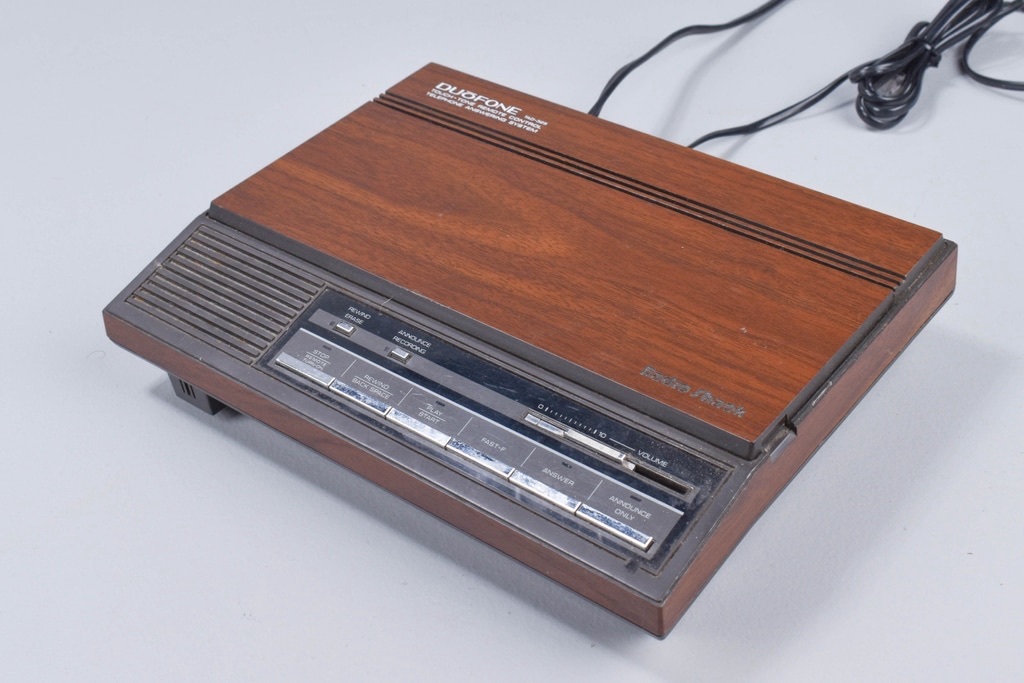
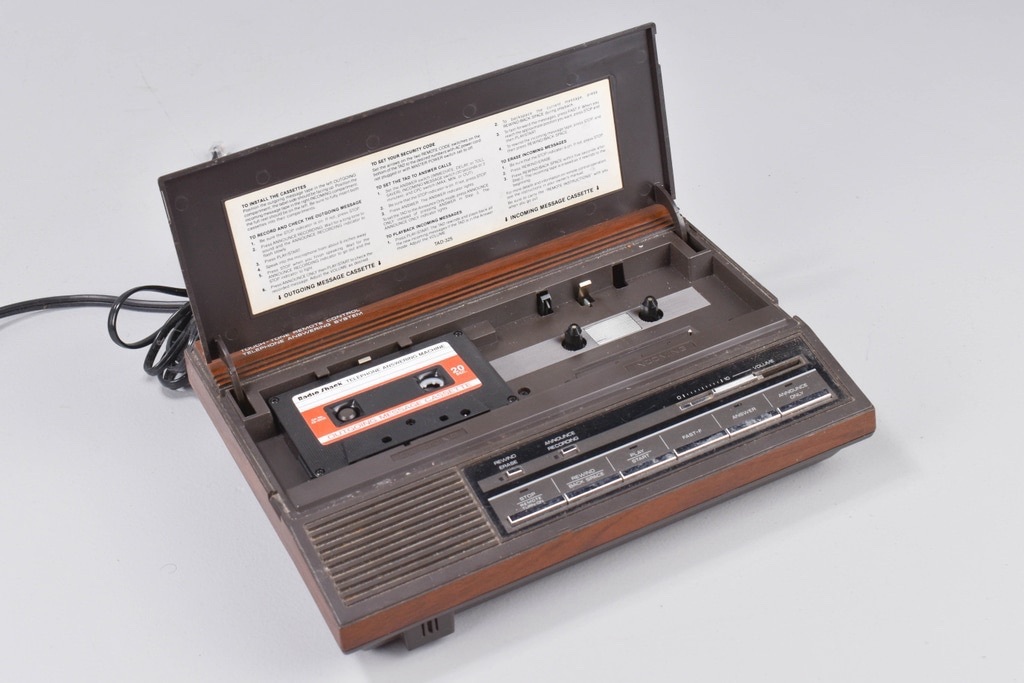
These devices started out using cassettes, one for the announcement and another for the recording of messages. Eventually a single cassette was used, then microcassettes, then partial digital (announcement only), then all digital for announcements and recordings.
Some answering machines would allow you to check your messages by dialing your own number and entering a DTMF code or password to play back messages.
Back then, if you were traveling, you often would need to use a pay phone. Answering machines would have a “toll saver” feature which would answer on the second ring if there were messages waiting. This way, if you heard more than two rings when calling into your answering machine, you would know there were no messages waiting and you can hang up and get your coin(s) back, saving you on the toll call cost.
Call Waiting
If you or a family member were using the phone, anyone calling your number would hear a busy signal. Often, the caller would need to keep trying to get through by redialing (hence the redial feature in touch tone phones). Of course a busy signal these days is quite rare, as most receiving parties have voicemail which handles calls if the line is busy.
Busy lines were so common that sometimes multiple phone lines would be installed. This was quite an expensive proposition. Today we take for granted the ability to text a question or even have a chat instead of making a phone call. You can carry on several conversations at once via text.
Back then, there was only the telephone – conversations would be had by telephone, there was no text option.
In the late 80s to early 90s, phone companies started offering a new service: “call waiting”. Of course this came at an extra monthly fee. Call waiting would allow a caller to ring through to a busy line, providing a break-in tone heard by the subscriber of the number being dialed, if they were on the phone in the middle of a call.
The subscriber can choose to ignore that tone, or, they could press the switch hook for a second, which would switch the line to the new caller, placing the first person on hold.
Pressing the switch hook for a second would switch between the two calls. This allowed for receiving calls while using the line. This of course was less expensive than having two lines.
Additional features such as three way calling, call return (*69), call forwarding, and others were often bundled together and sold as “TotalPhone” or similar branding by various phone companies nationwide.
Caller ID
One of the more recent advancements in landline telephone service was caller ID. Before caller ID, when the phone rang, there were no screens or any form of advanced notice who was calling. Quite often, you pick up the phone to answer the call, and it was either someone that you did not necessarily want to talk to at the moment, or, the call was for someone else in the household.
Caller ID was another service that was rolled out, of course with an additional fee, that would indicate the number of the person calling.
Caller ID devices were simple and plugged in between the wall jack or service line and the telephone. The telephone company would push a burst of FSK tones down the line at 1200 baud along with the ring signal. The caller ID devices would detect this and display the data on the screen.
Often the caller ID data would contain the callers number, and eventually additional information such as the caller name and date and time.
Earlier forms of this service used DTMF, which would take longer to transmit, and, send only digits, not alphanumeric data.
Various iterations of this standard were developed up to and including caller ID for call waiting. Before this feature, caller ID worked only for the first call. Once you were on a call, if another person called, the call waiting break-in tone would not include caller ID info. You then had no idea who was calling.
Many of the caller ID devices would filter out these tones so that the connected telephone would not even hear them.
Further, I even had a modem which supported caller ID. It would send caller ID data received over the serial port for use with BBS software and for other uses.
Eventually caller ID was available in telephones and cordless phones as a built-in feature, with the callers’ numbers appearing on the LCD display on the handset or base. This eliminated the need for separate caller ID devices.
Voicemail
Toward the end of the evolution of landline service, voicemail was an added feature that became available. This service replaced answering machines and provided for quick and easy remote retrieval of messages.
The voicemail feature was hosted by the phone company which meant that an answering machine device at your home was no longer needed.
Further, if you had your phone silenced, unplugged, or off the hook, the voicemail system was remote – no clicking or beeps were heard from your answering machine when it was announcing or taking a message.
Landline Evolution
Eventually once broadband internet was available, cable companies (and even phone companies) started using their fiber and coax networks to deliver traditional landline service.
For the first time, the old twisted pair copper wiring had been abandoned for a newer delivery medium. Cable companies (and the phone company) would attach a bridge somewhere either on the outside of the home or inside. This bridge would convert the broadband IP-based telecom connection to the copper twisted pair connection legacy telephone equipment needed inside the house.
Consumers rarely had any idea that their phones had been connected via voice-over-IP or similar technology and in most cases this brought higher fidelity sound and eventually increased voice bandwidth.
Shortly afterwards, new telecom companies started providing phone service over the internet, allowing consumers to purchase their bridge device, plug it into their network, plug in their telephone and they had phone service over the internet.
Phone and cable companies now include the legacy telephone bridge directly in their modems used for broadband access.
Eventually cell phones replaced almost all landline phones, with the exception of business settings and those who prefer having and landline as a back-up.
Bluetooth Cell Phone Bridge
If you are feeling a bit nostalgic, or, you want to experience a landline telephone, the least expensive way to experience a landline is with a Bluetooth landline bridge.
A Bluetooth landline bridge connects to your cell phone via Bluetooth, like a wireless handset, and the provides a line connection for plugging in a landline telephone.
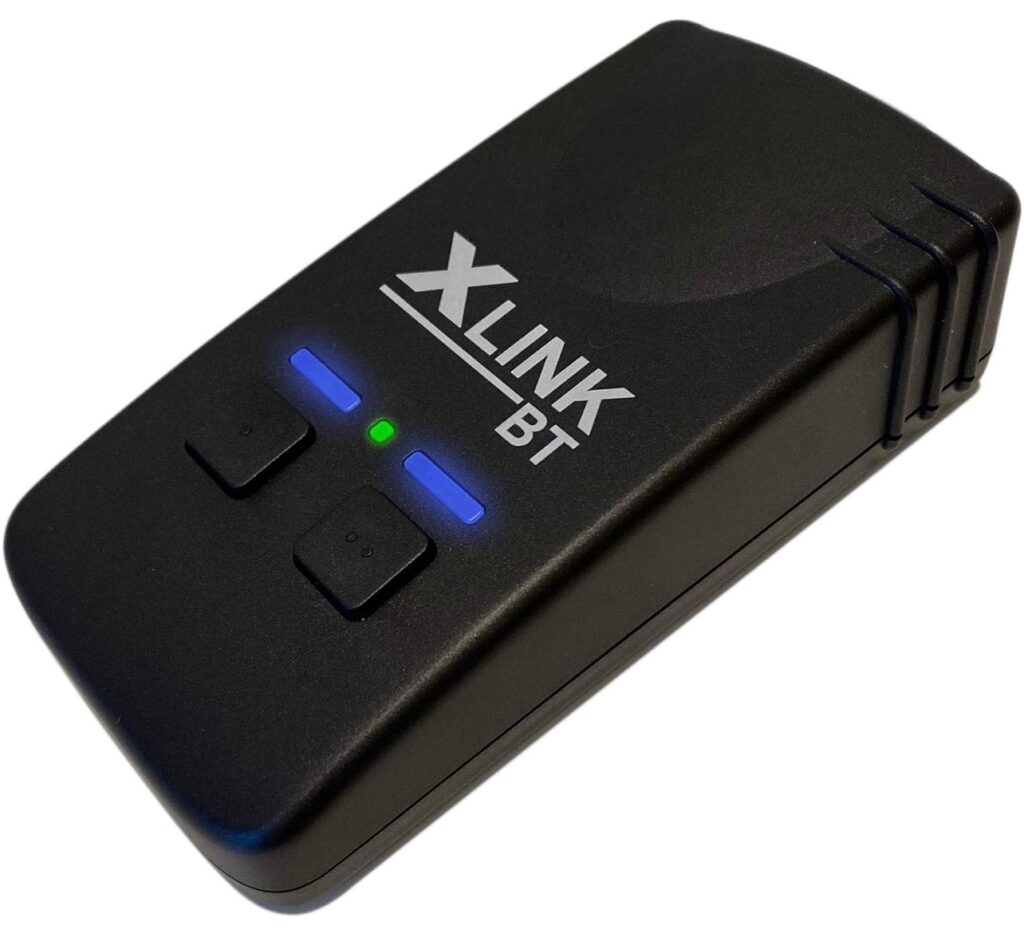
There are a few of these types of bridges available. I decided to try the XLink Bluetooth landline bridge, which is widely available on Amazon. It is not too expensive considering what it does.
When paired to your cell phone, all incoming calls will ring the attached landline telephone. If you pick up the handset on the attached landline, it will answer the call on the paired cell phone. Otherwise, if you pick up the handset on the landline, a classic dial tone can be experienced.
Dialing is supported for both touch tone and pulse. This means even an old rotary phone can be used for dialing.
Advanced Features
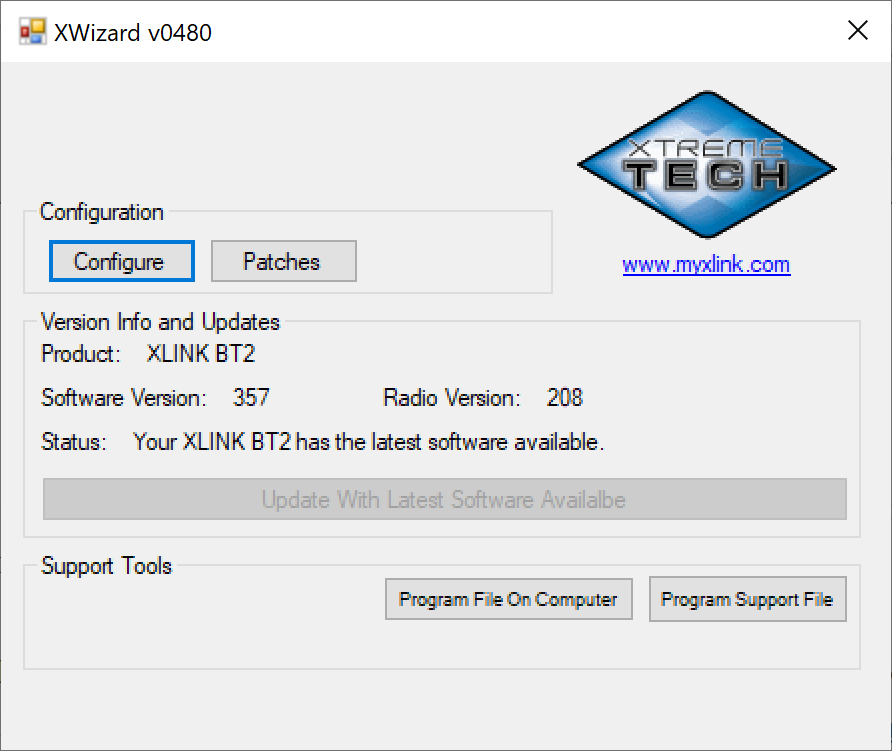
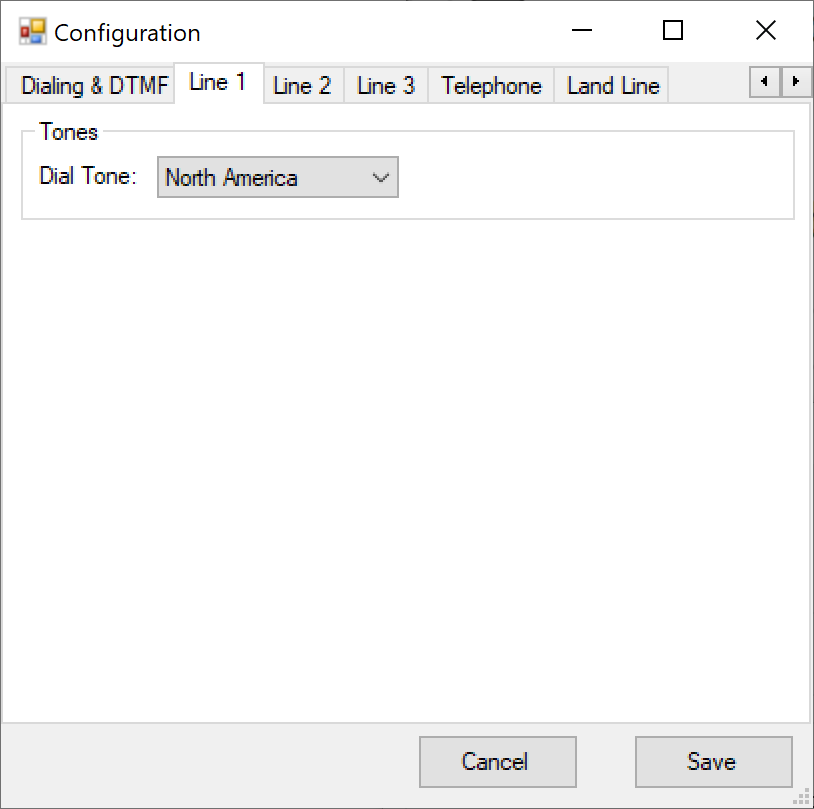
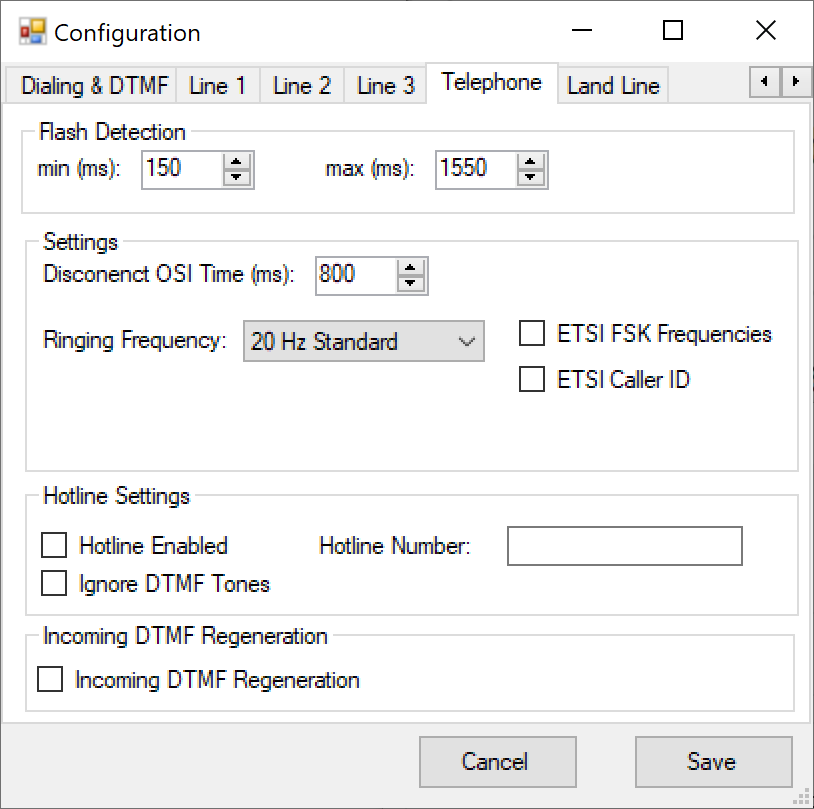
The XLink has a micro-USB connector for firmware updates and configuration. Unless there is a specific issue or advanced compatibility setting needing to be adjusted, this process is entirely unnecessary. There is a software program (for Windows only) which automatically detects the XLink plugged into the PC.
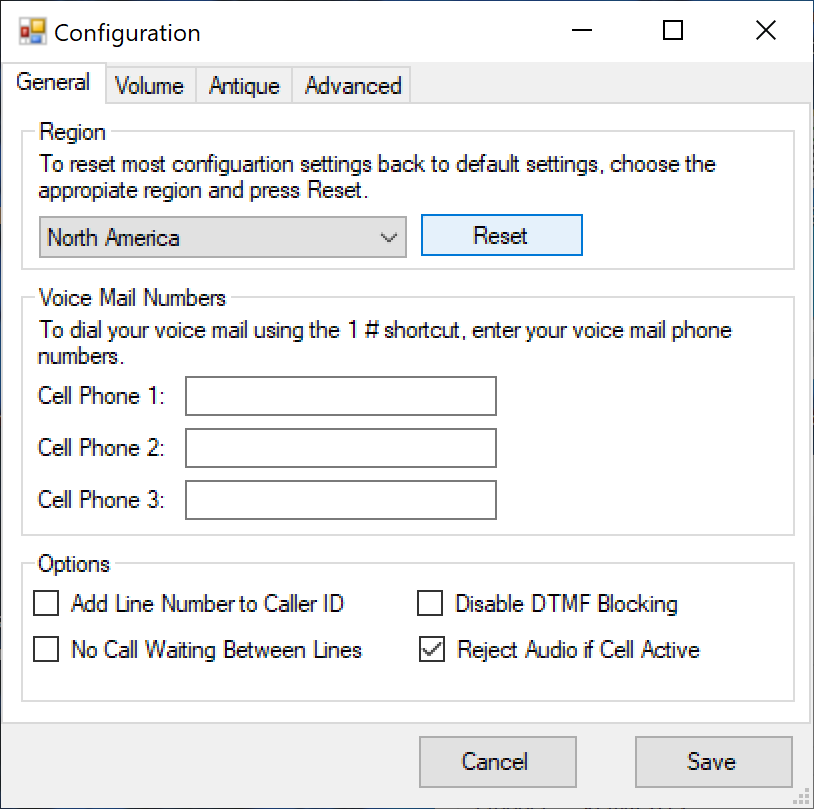
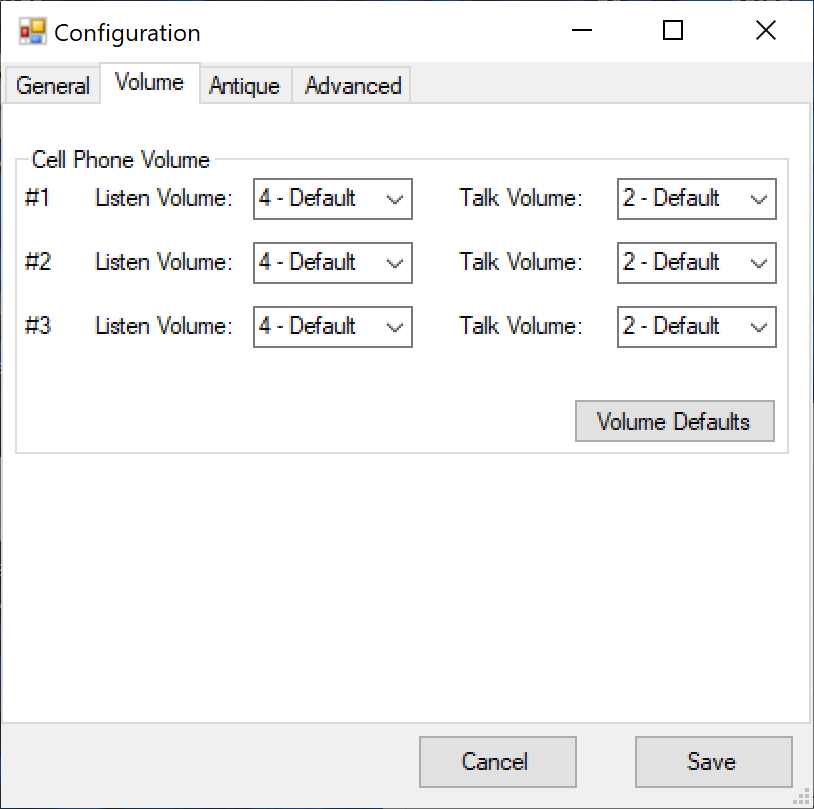
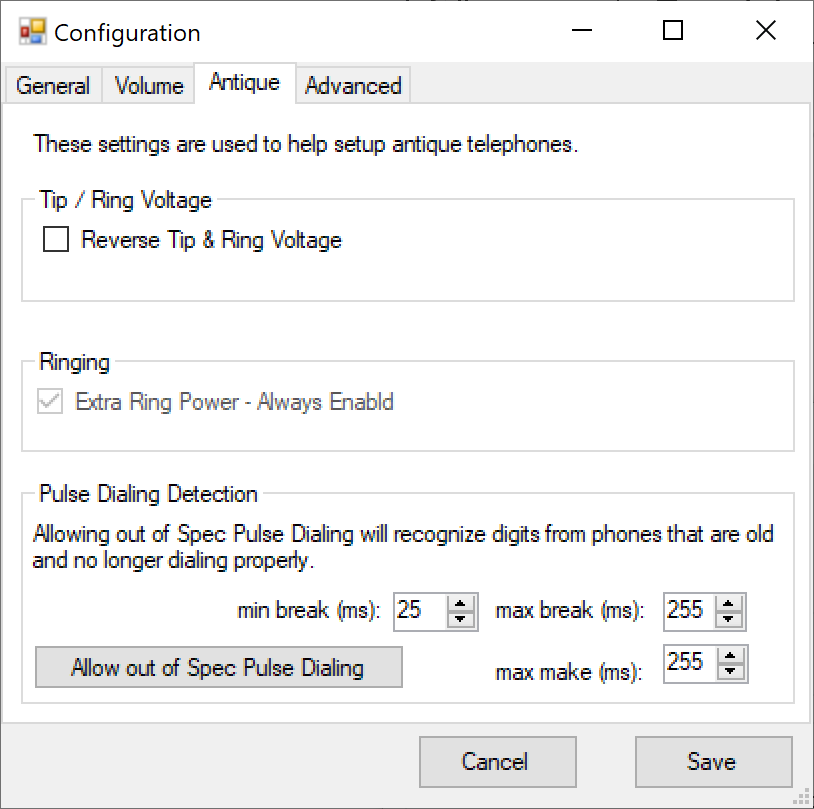
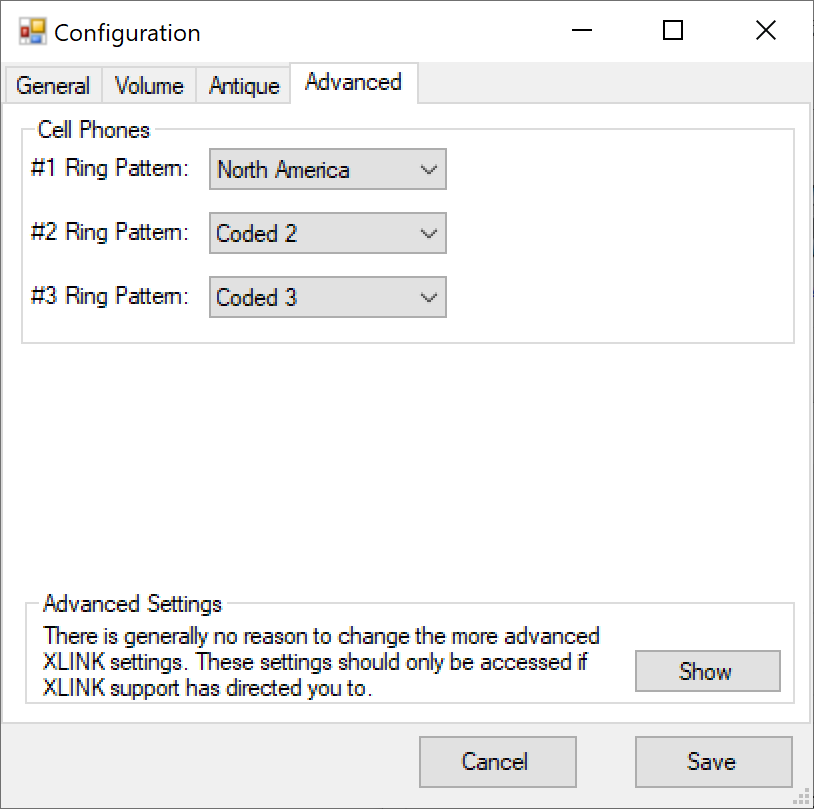
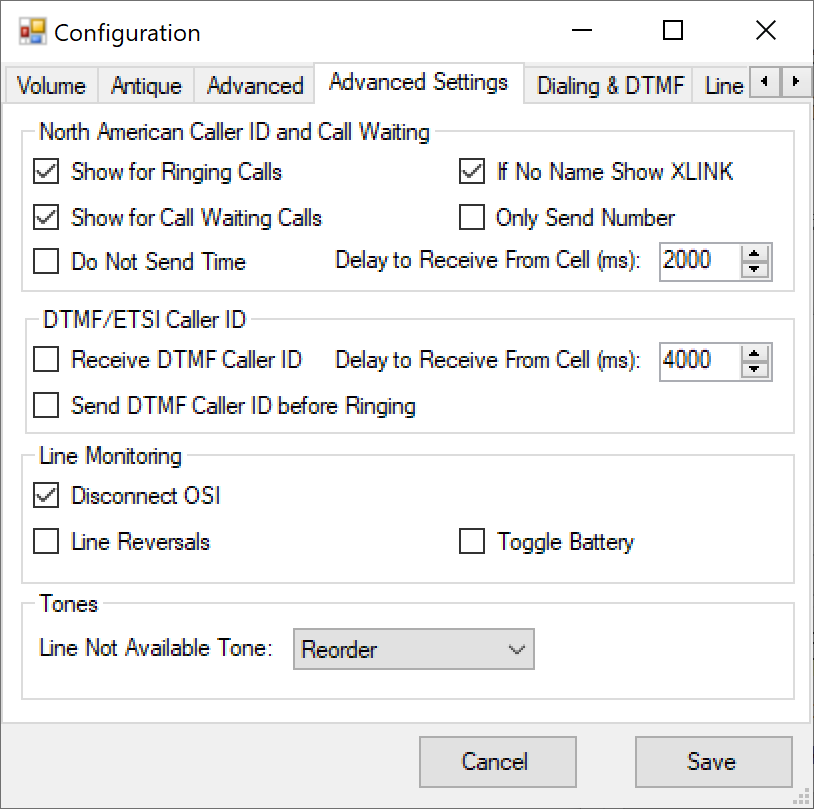
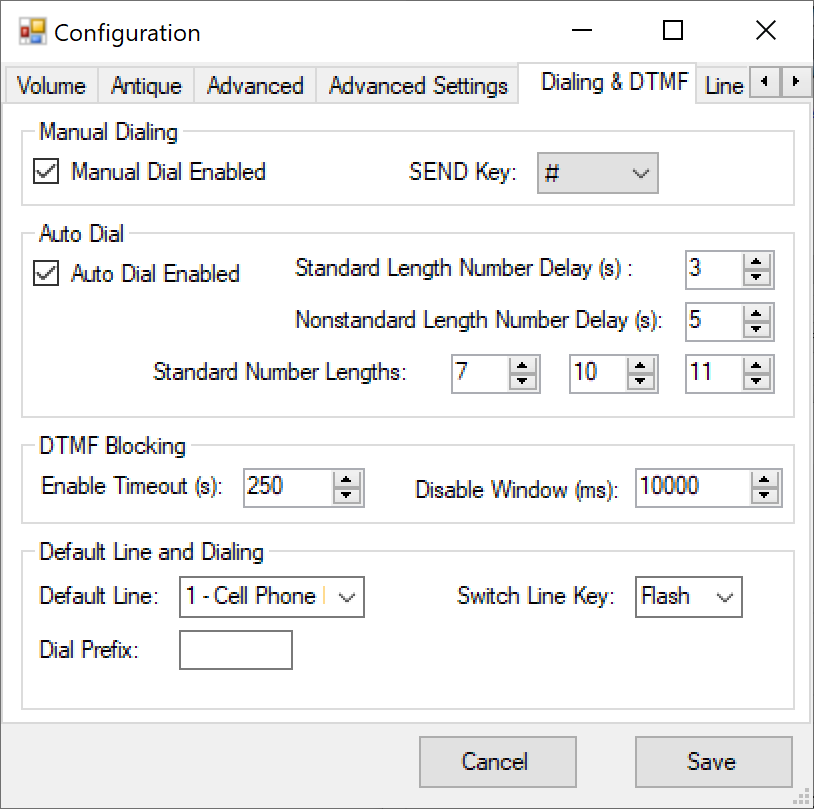
In addition to firmware updates, there are several configuration screens to adjust various aspects of the bridge. For example, the XLink can send Caller ID tones to the landline connection, and there are settings to exclude the time, name, and various other options related to Caller ID. Further, ring patterns can be set based on country, dialing settings can be adjusted, and much more.
I have included all of the configuration screens as a reference, since the user guide mentions none of these settings:
Searching for Landline Telephones
I unfortunately did not save any of the landline telephones that I had. My last telephone set up was cordless with several extensions, perhaps 4 or 5 cordless handsets with a base which had the answering machine.
Each cordless handset had caller ID, memories, access to the answering machine remotely, and even handset to handset paging. This was really useful when trying to reach someone upstairs if you weee in the basement and vice versa.
There is quite the variety of old landline telephones available today on auction sites and most are very inexpensive. Many are available new in box, some quite old, from the 1960s on up.
In theory, any of these old phones will work with a Bluetooth bridge, and only if several landlines are connected to the bridge would there be a concern that this might exceed the bridge’s REN rating (ringer equivalence number).
Each telephone is labelled (or should be) with its REN. Older telephones with a physical bell might be a higher REN compared to an electronic ringer. This is really only a concern if multiple telephones are connected to the bridge at the same time.
The two types of telephones I am most curious about seeing again are cordless phones and rotary phones. I sought out to find one of each.
Radio Shack ET-395
I was curious to see how well a cordless phone from the 1980s would work today, and picked out something from eBay that was inexpensive and in decent condition.
Of course many Radio Shack models are available, many with a box, many unused. In order to save a bit of money, I found one which was used but still had the box, the ET-395:
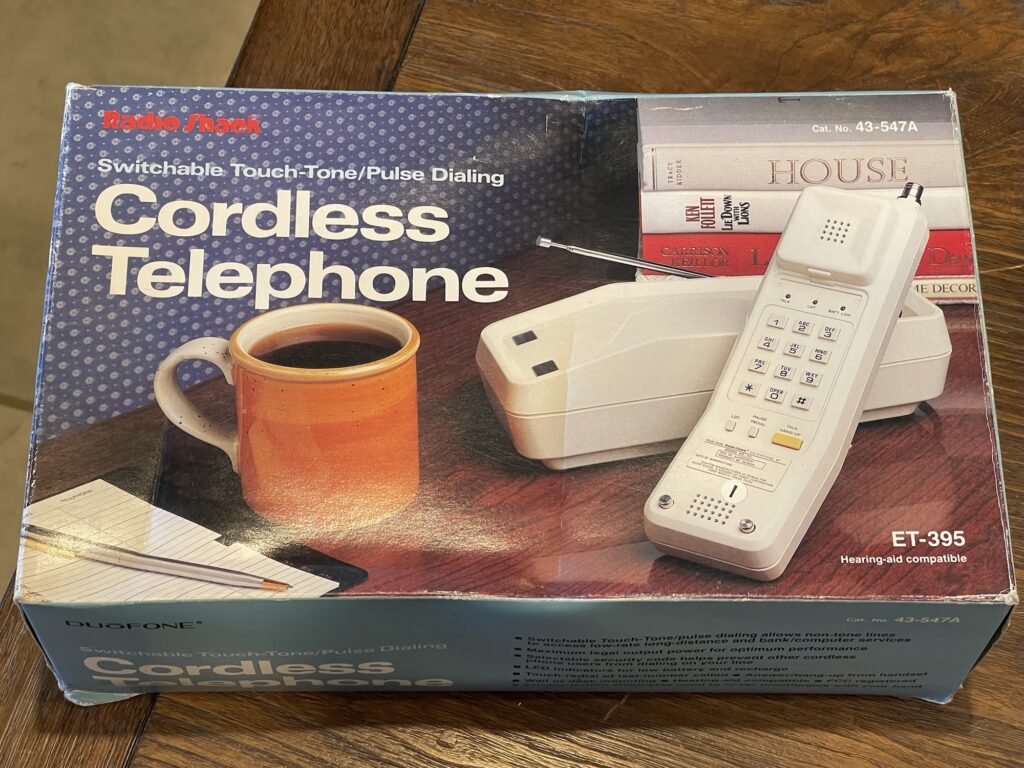
Of course there were newer models, but for a truly vintage experience, an older model without digital technology was more authentic. This one was $32 USD plus shipping.
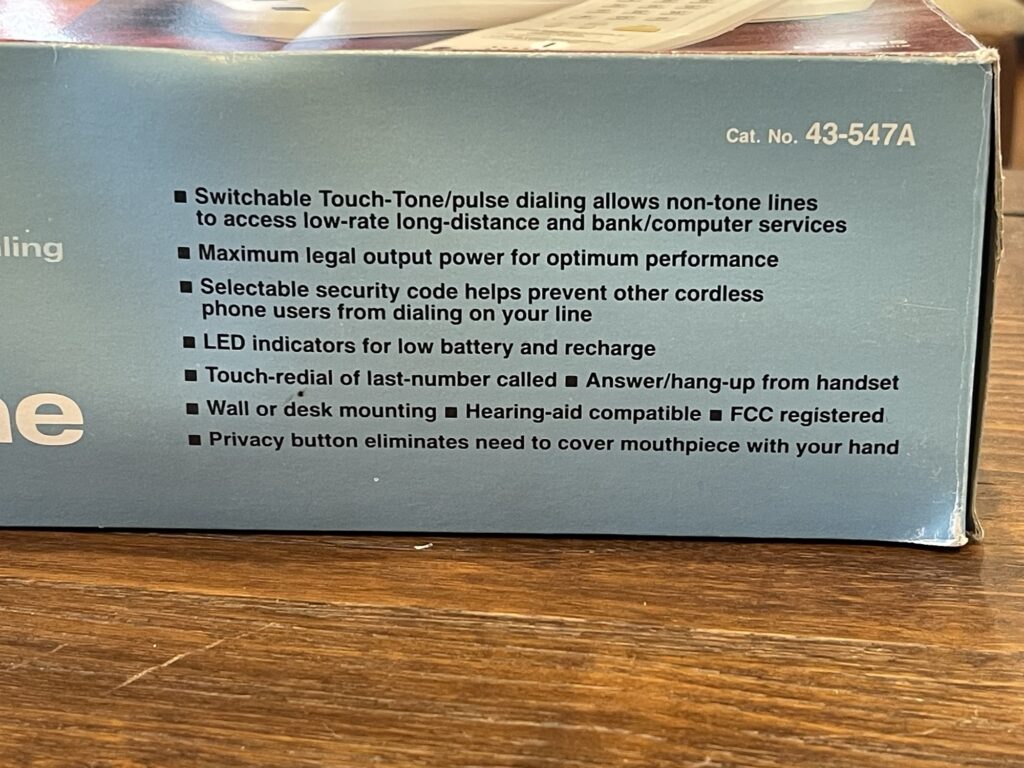
Like many telephones, this one supports pulse and tone dialing. A big feature which was actually useful was the privacy button, reminding me of a similar feature on a cordless phone I actually owned back then. When pushed, the privacy button muted the microphone.
Fixing Up the ET-395
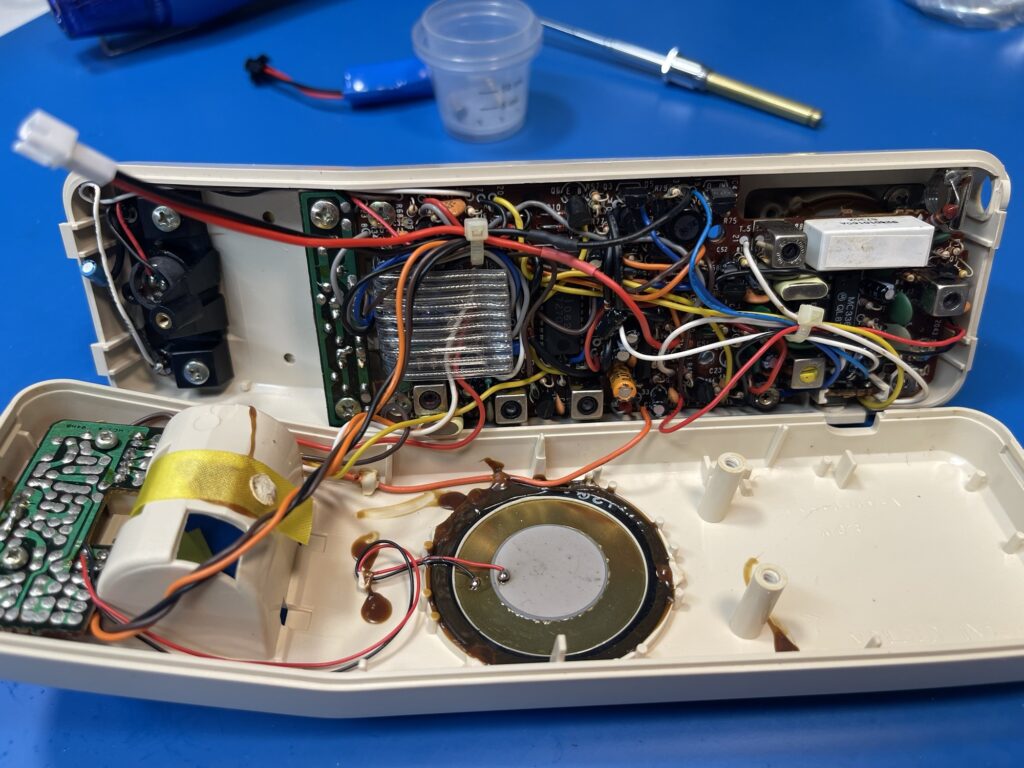
When the phone arrived, the antenna had a broken tip, and the rechargeable battery for the handset was missing. This phone was made in August 1987:
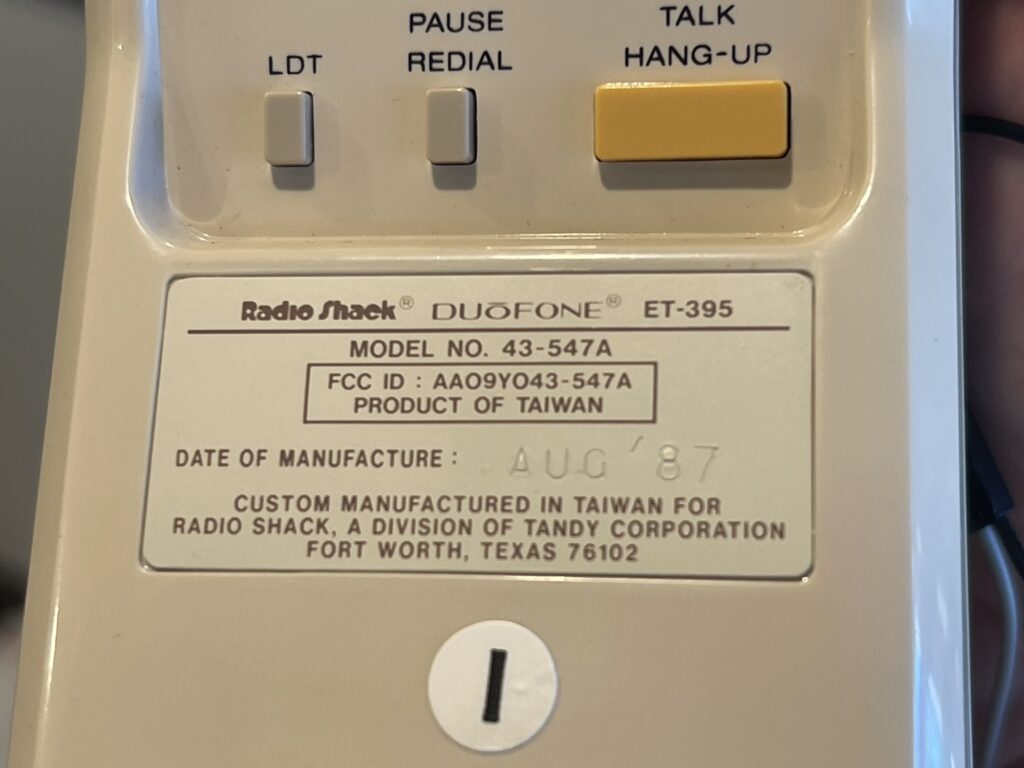
The original battery pack was a 3.6 volt NiCd pack. Since I did not have the owners manual and could not find one online, I searched for replacement packs for this model number. I ended up finding a reference to a replacement pack which seems similar to the ones found on PCBs for computers as a memory backup, such as the TRS-80 Model 100.
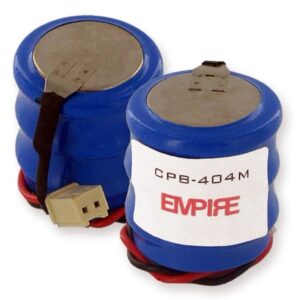
I believe this battery is a BPB-404, which has 280mAh of capacity.
The compartment which holds the battery seems like it has enough room for 3 2/3 “AAA” sized battery pack. It is far less expensive to build a pack rather than to purchase an exact match.
Before purchasing battery cells to make a new pack, I tested the handset first. If the handset did not work, then there would be little point in purchasing some new NiMh cells to make a replacement pack.
I have some 3.7 volt cells with connectors on them, and they are for RC toys, which come with a simple USB powered charger. Even though these are 3.7 volts, it is close enough for the required 3.6 volts needed for the handset. I charged up one of the spares for one of these RC toys.
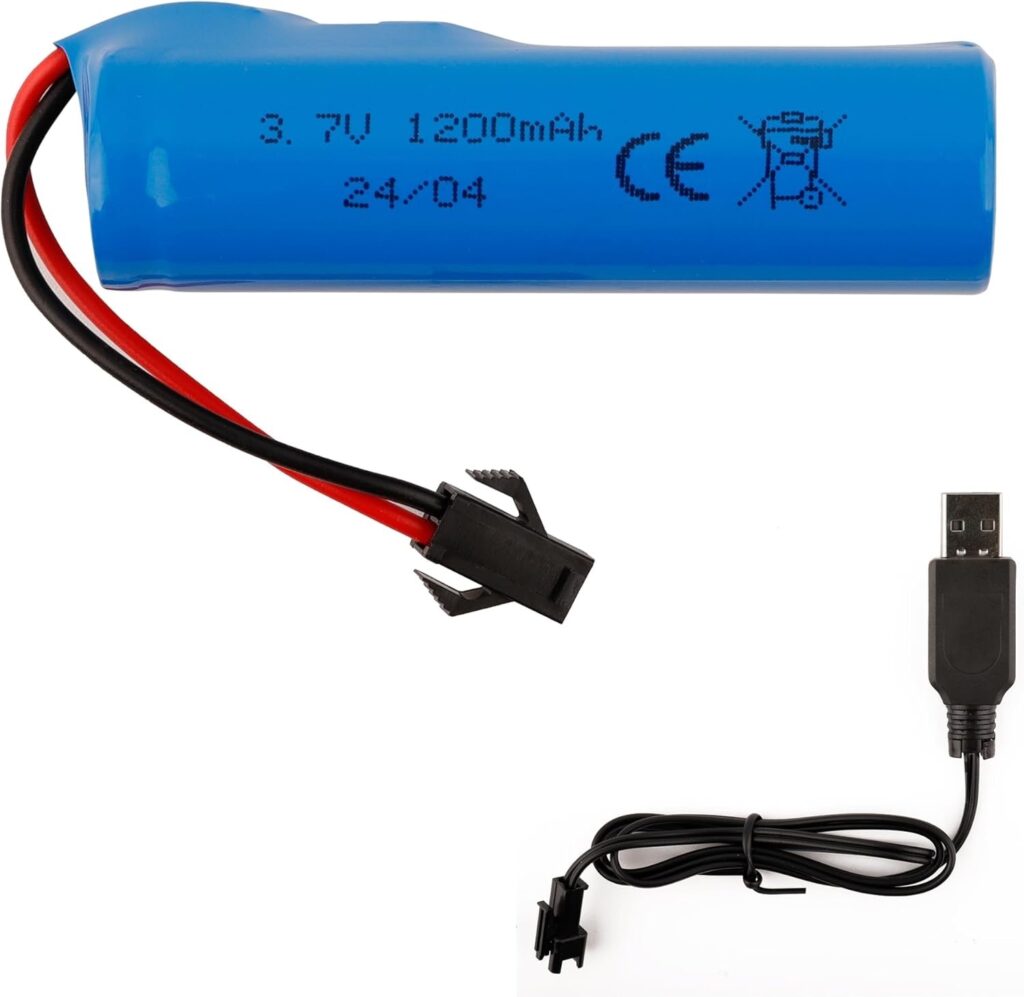
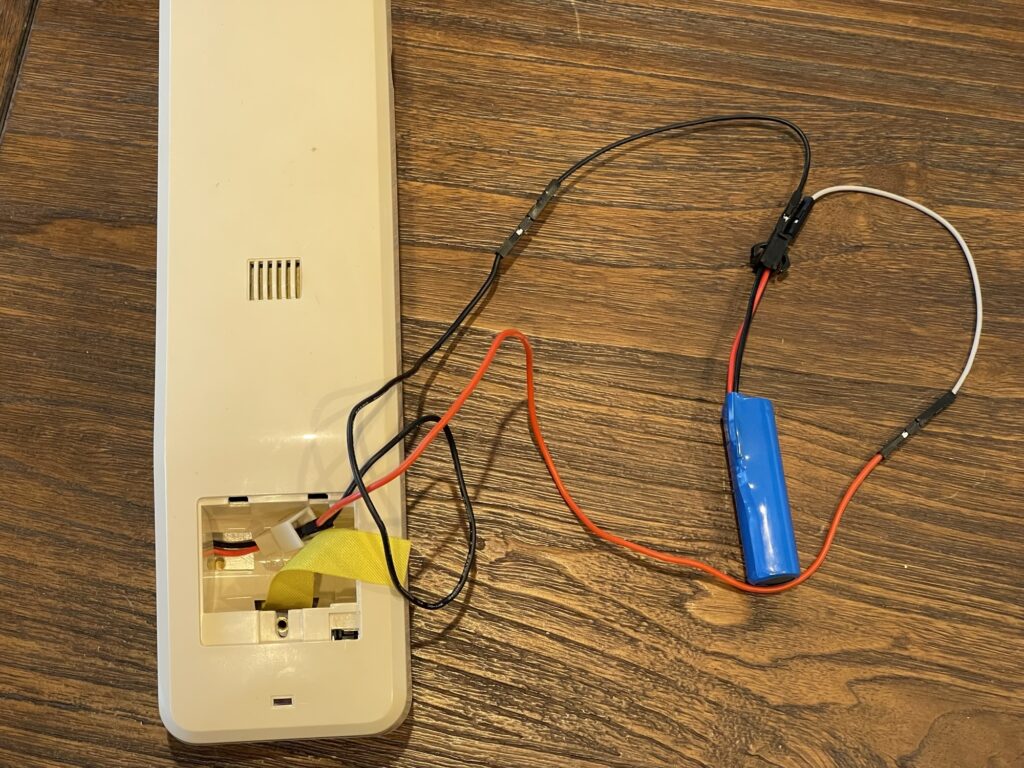
The battery connector in the handset is a bit different than the connector on my spare RC toy battery, and different than any of the extra connectors I had laying around in a junk box.
I connected the battery in a temporary fashion and the handset worked!
Replacement Battery Pack
NiCd batteries are not the best choice these days for replacement battery packs, mainly due to capacity and their “memory effect” when recharging them before they are fully discharged.
NiMh cells are a better choice for replacement packs, and are functionally equivalent or compatible with the charging circuit built for charging the NiCd cells.
I found some 3/4 “AAA” cells on Amazon and built a pack using 3 of them. 3/4 “AA” size would not have fit, as there is not that much room in the battery compartment.
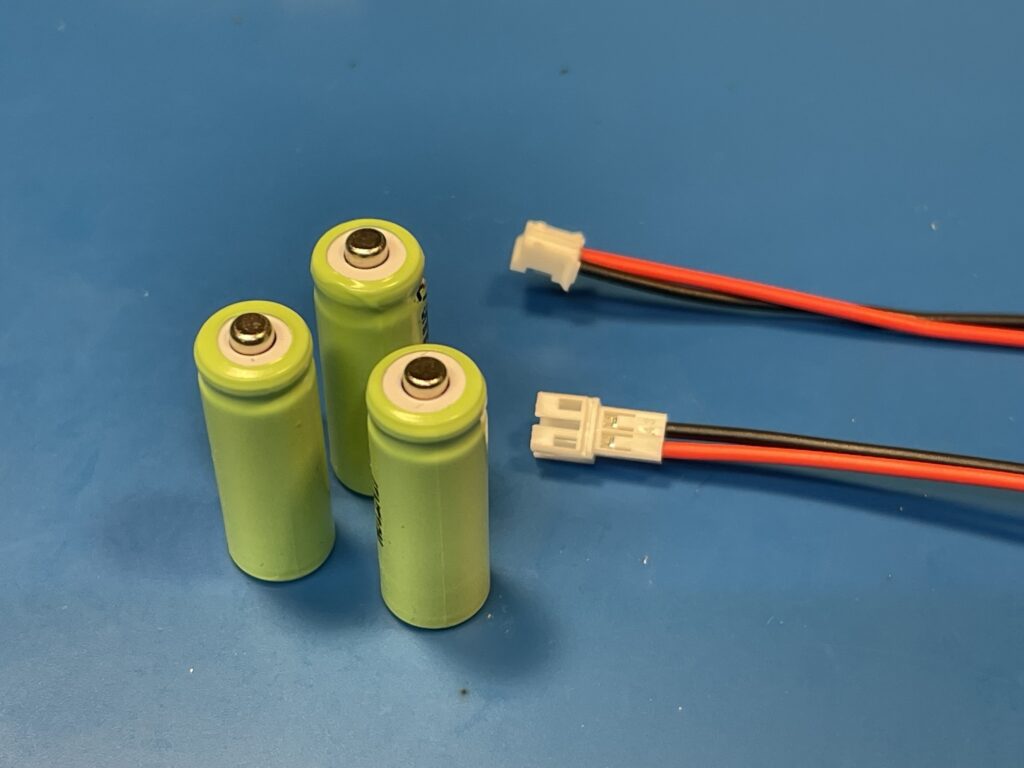
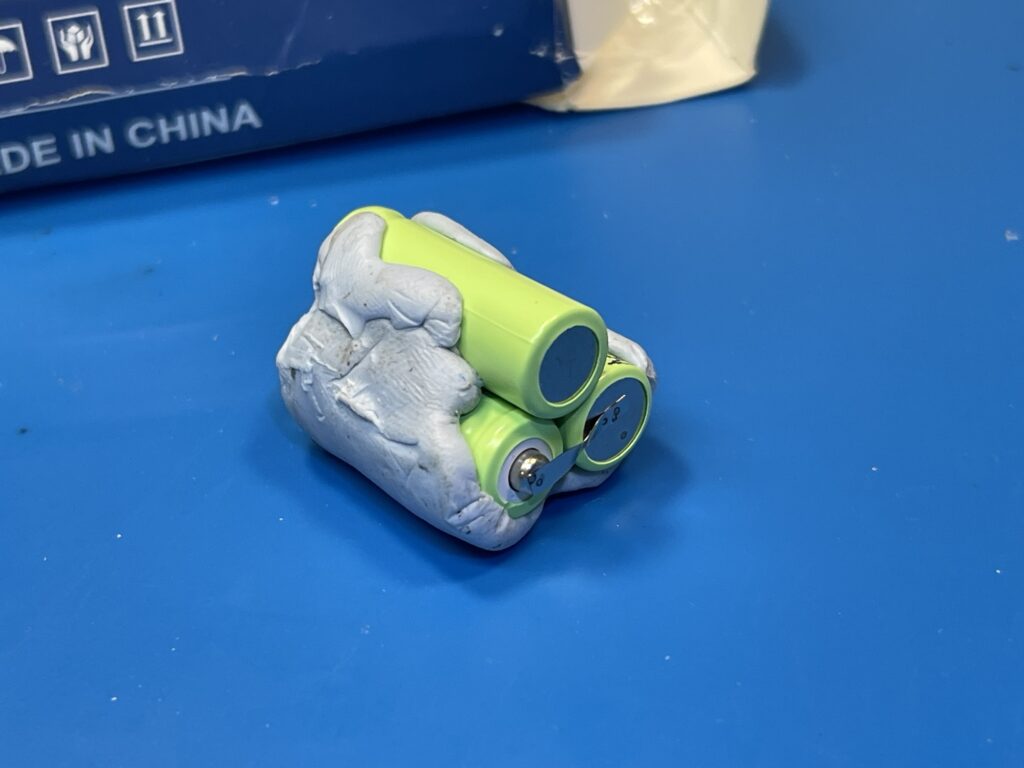
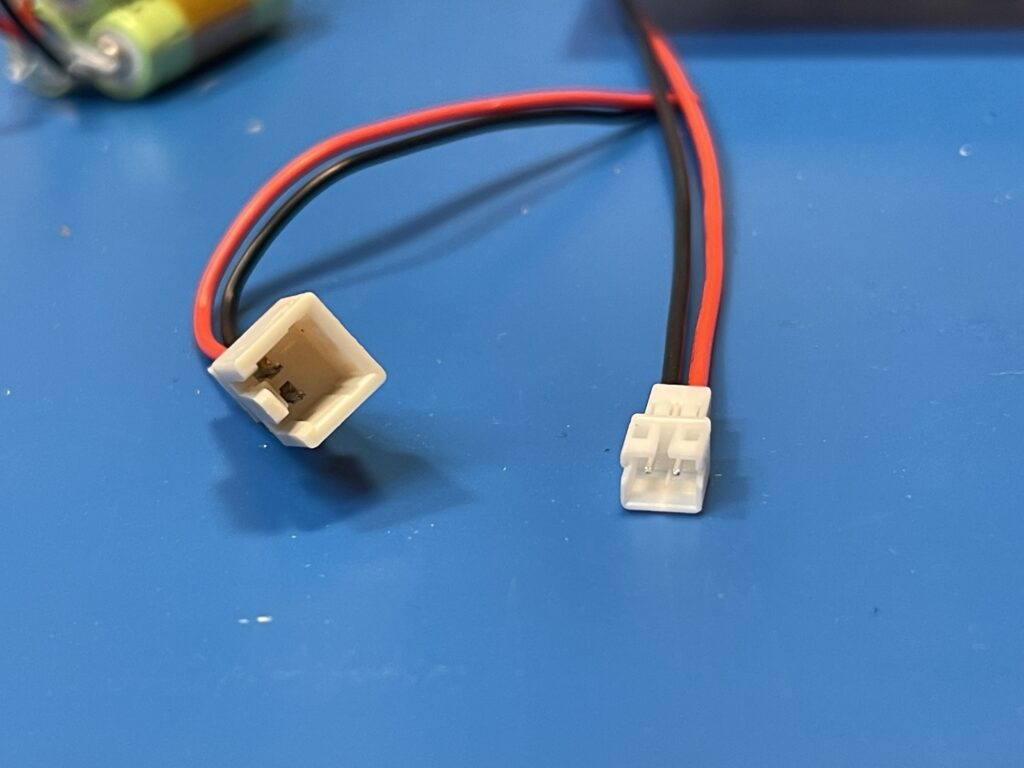
I ended up replacing the battery connector on the handset itself so that I could add the more common connector on the battery pack. This will provide for an easier replacement next time.
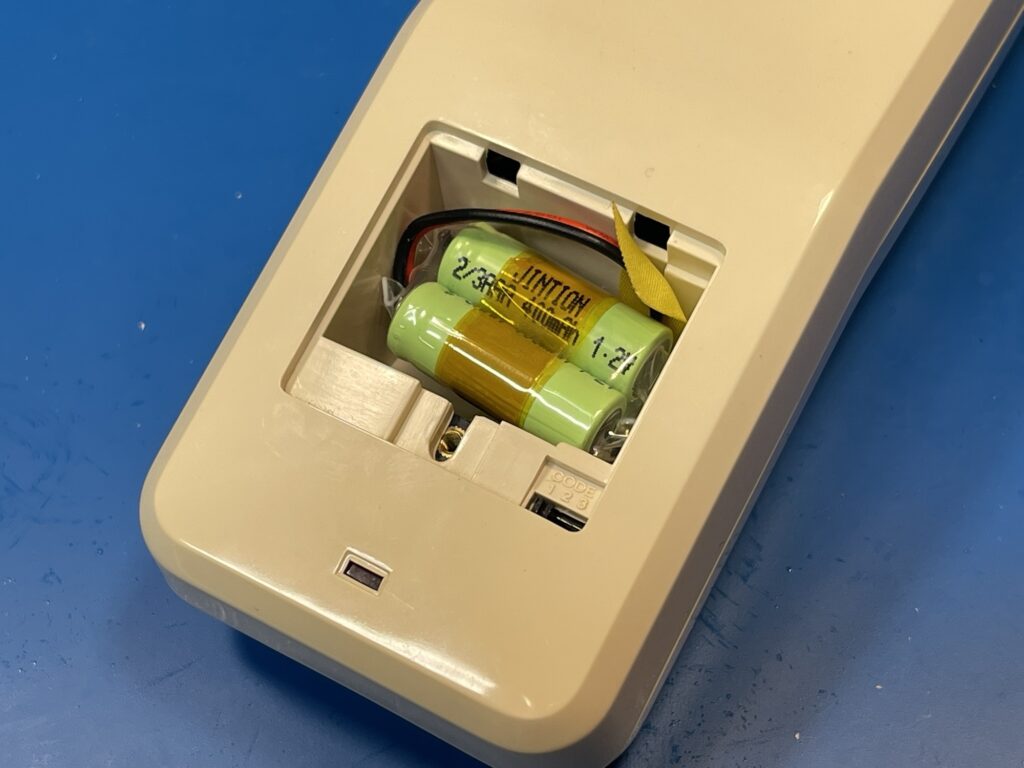
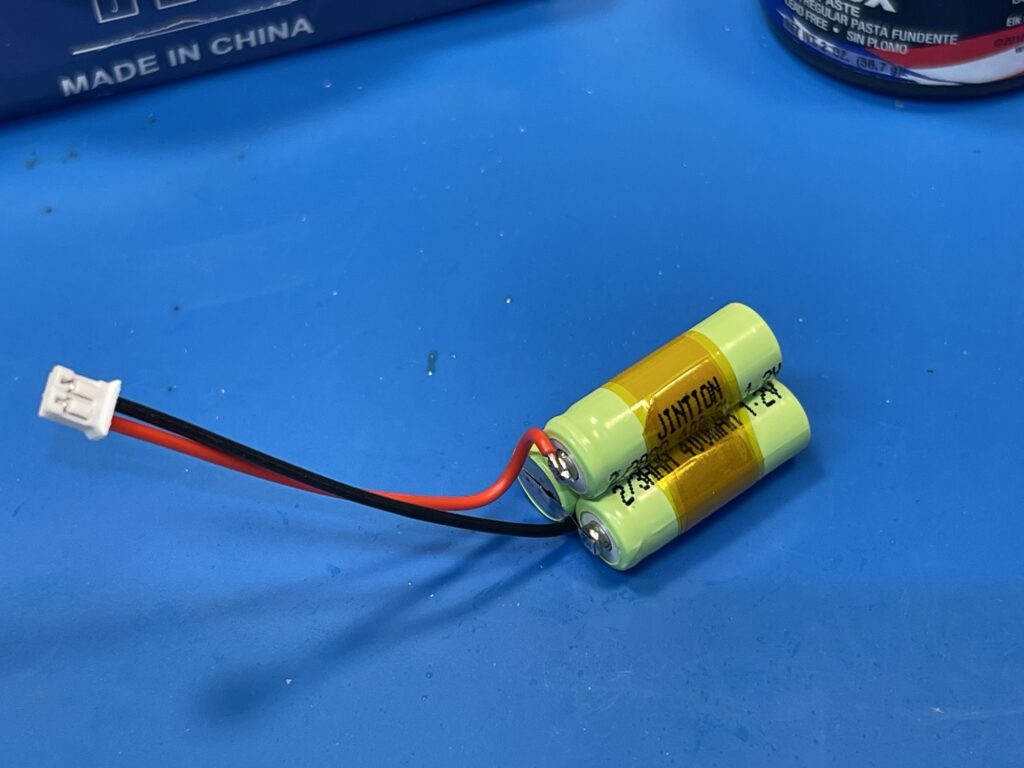
I used a portable spot welder to wire the cells together in series and added tabs for soldering the connector. I then put clear heat shrink tubing over the pack to hold it together.
The replacement pack fit well and provides for 400mAh of capacity which is more than the original pack provided, 280mAh.
Antenna Repair
Finding a telescoping antenna these days is a challenge, especially for a cordless phone from the 1980s. The length of the antenna is important due to the operating frequency of the handset.
The antenna was on my handset was intact except for the piece of metal on the very tip which is used for pulling out the antenna or pushing the antenna back in.
This is an uncommon and simple-to-fix point of failure with these antennas, usually they bend somewhere rendering the entire antenna useless. I must have broken many of these types of antennas myself as a kid in the 1980s, and I know that once they bend, you cannot bend them back without the inevitable snapping of that part of the antenna.
I ended up soldering a brass stand-off where the tip was broken off at the end of the antenna.
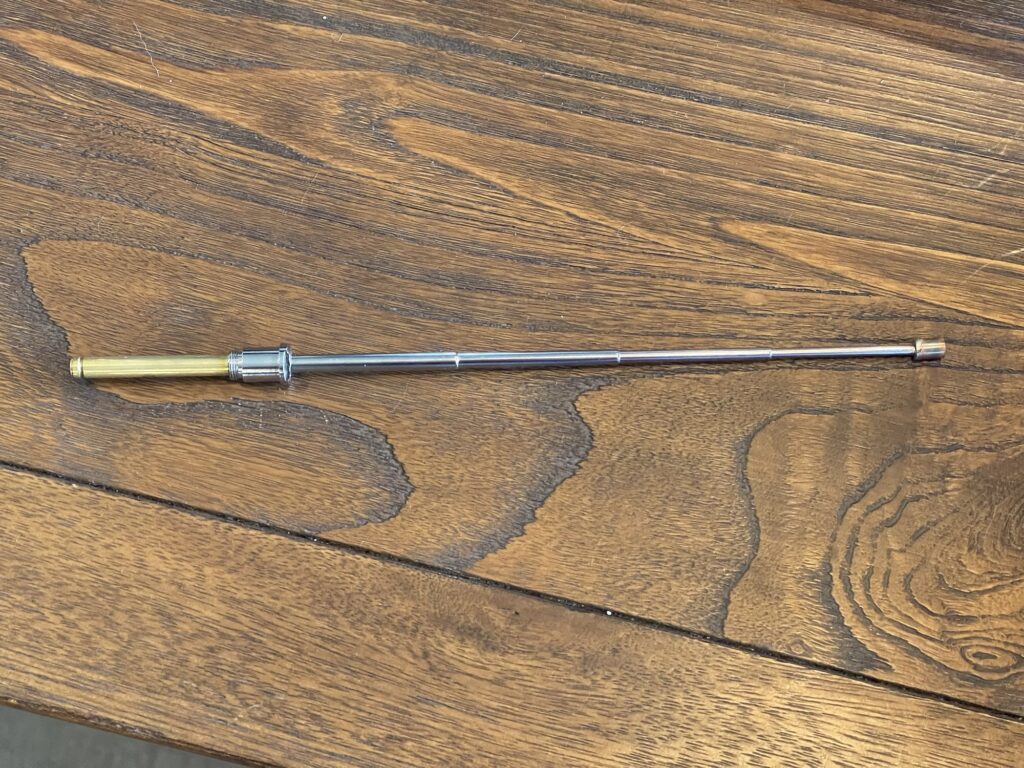
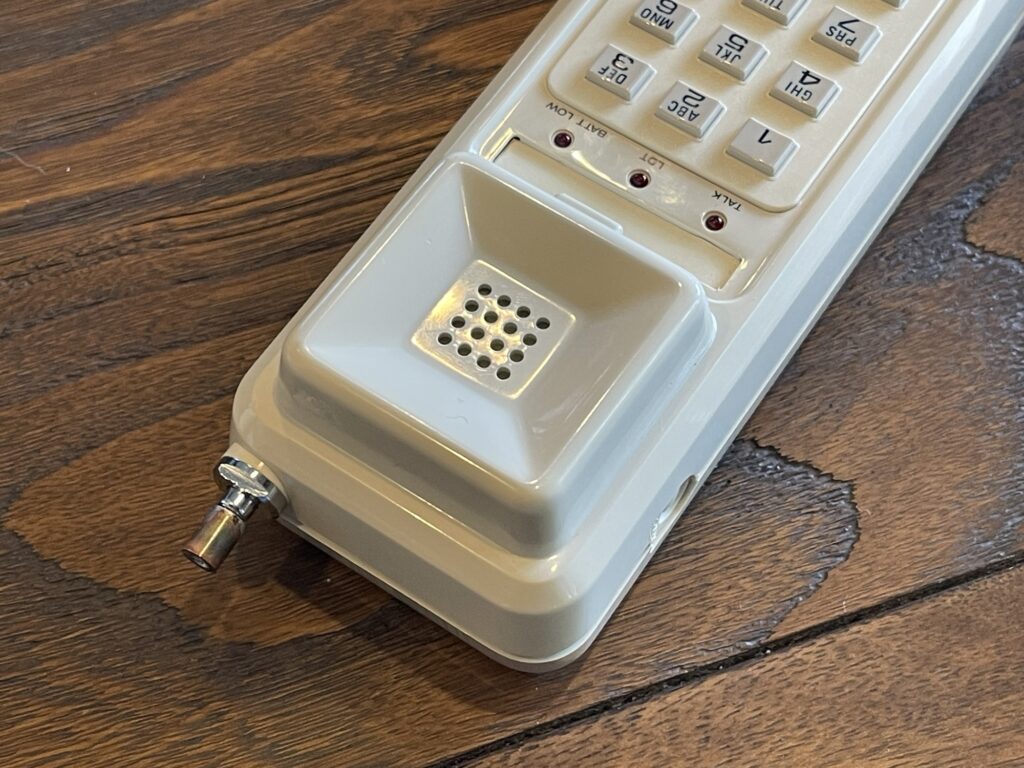
With this simple repair done, I can now easily lower and raise the antenna.
Testing the XLink and ET-395
The pairing process to link the XLink with my iPhone was easy and it worked right away. Dialing worked as expected, and there is in fact a dial tone. Hearing the dial tone instantly took me back to the era of landline telephones.
The quality of the link is perfect – the audio levels seemed to be spot on and the link state between the landline and cell phone were solid.
If the cell phone is out of Bluetooth range from the XLink device, a busy signal is heard on the handset if attempting to place a call.
The range of the cordless phone was far less than I had expected. Of course, I also have difficulty with WiFi range at my location also, so this is consistent. If I place the base of the cordless phone in a strategic location, it does work in several areas, including outdoors.
Rotary Desk Phone
For the full vintage experience, I searched for an inexpensive rotary style phone on eBay. These are readily available and not too expensive. Many can be found in good condition for around $30 USD.
Since I did not want to mount a telephone to a wall, I looked for a desk model. I settled on a Model 500 from Western Electric.
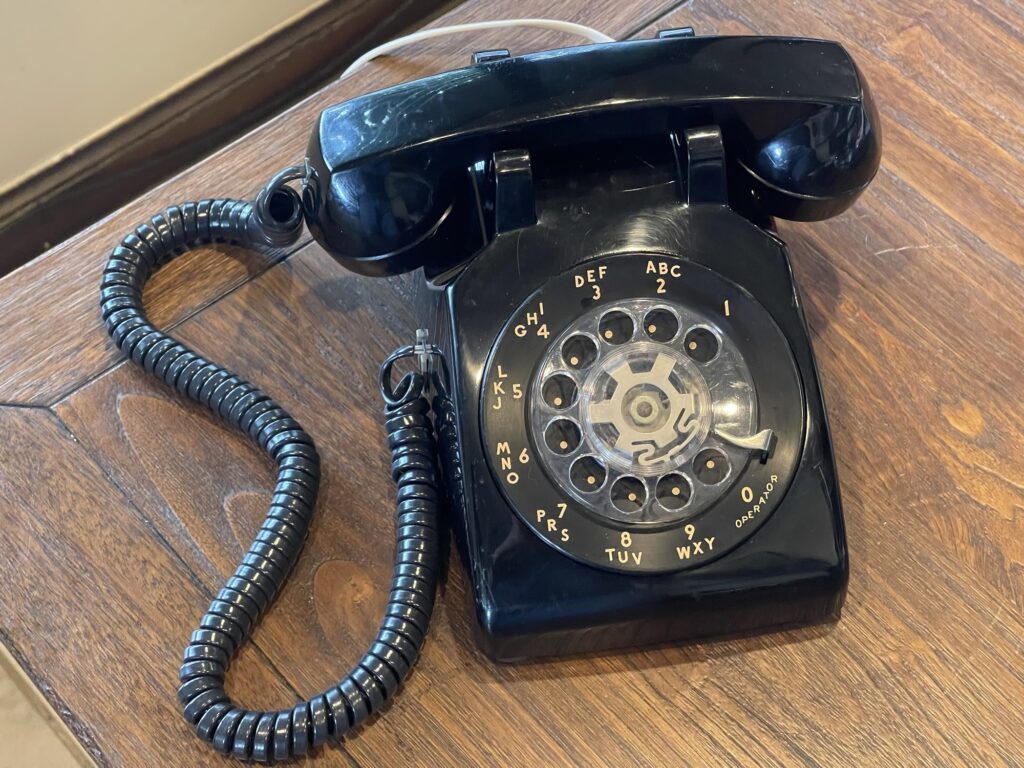
The phone itself was in good condition and worked perfectly. The only update I tried to do was replace the handset cord. This is a simple replacement due to Western Electric (later models) and other brands using the modular connectors allowing easy and fast cable replacements.
The replacement cord was a good match, but it did not have a vintage look. It looked like a cord on IP phones at a work place, more modern than I was looking for.
I ended up cleaning the old cord by soaking it in soapy water for a few hours (leaving the connectors dry of course), then wiping the wire down with a heavy dose of a mild cleanser.
Rotary dialing worked perfectly on this model and the Bluetooth bridge. The ringer is an actual bell, which is quite loud. The Bluetooth bridge had no problem driving the ringer.
Coincidentally, this unit was manufactured the same month and year of my birthdate, in the late 1970s.
Caller ID
I tested the XLink’s ability to support caller ID. I found a caller ID module, similar to the one I actually had back in the mid to late 1990’s and connected it inline between the XLink and the telephone. Next time a call had come in to my cell phone, the XLink forwarded the incoming call information over the telephone line in the correct format:
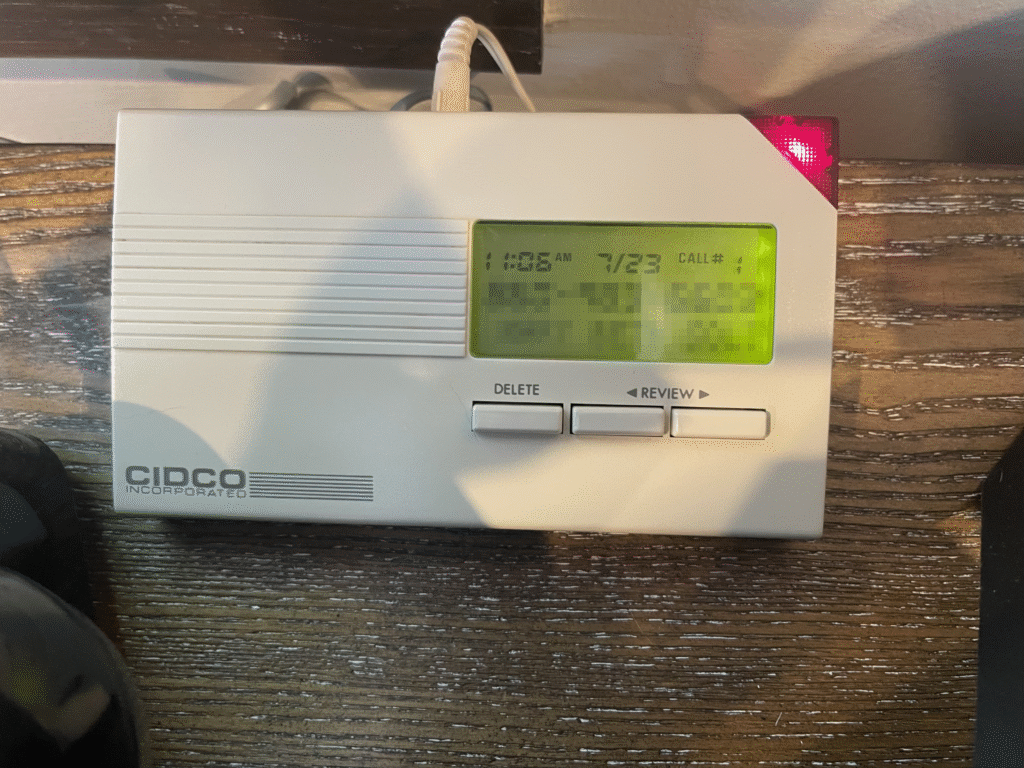
Of course, the caller ID would also work for handsets which have this feature built-in.
Final Thoughts
Finding old rotary and cordless phones these days was easy. Getting them to work without having landline service is just as easy – thanks to Bluetooth landline bridges.
Using a rotary phone and handset was quite an experience in 2025. Same with using an old analogue cordless phone.
After using both on occasion, I have thought about how far we have come from this old technology and how telephone companies made the most out of that old twisted pair wiring. They managed to push caller ID information, signaling for switching between calls (call waiting), and more.
That platform had been used for more decades than most realize, and it is only a matter of time before landline service becomes completely obsolete.